Apps

Three apps on the same room data: the operations web for the desk, the staff app for people on the floor and the guest app for people staying.

Operations web

The whole hotel's workspace

Front desk, housekeeping, engineering, stores and management share one web app. Each person sees only their own work, based on permissions.
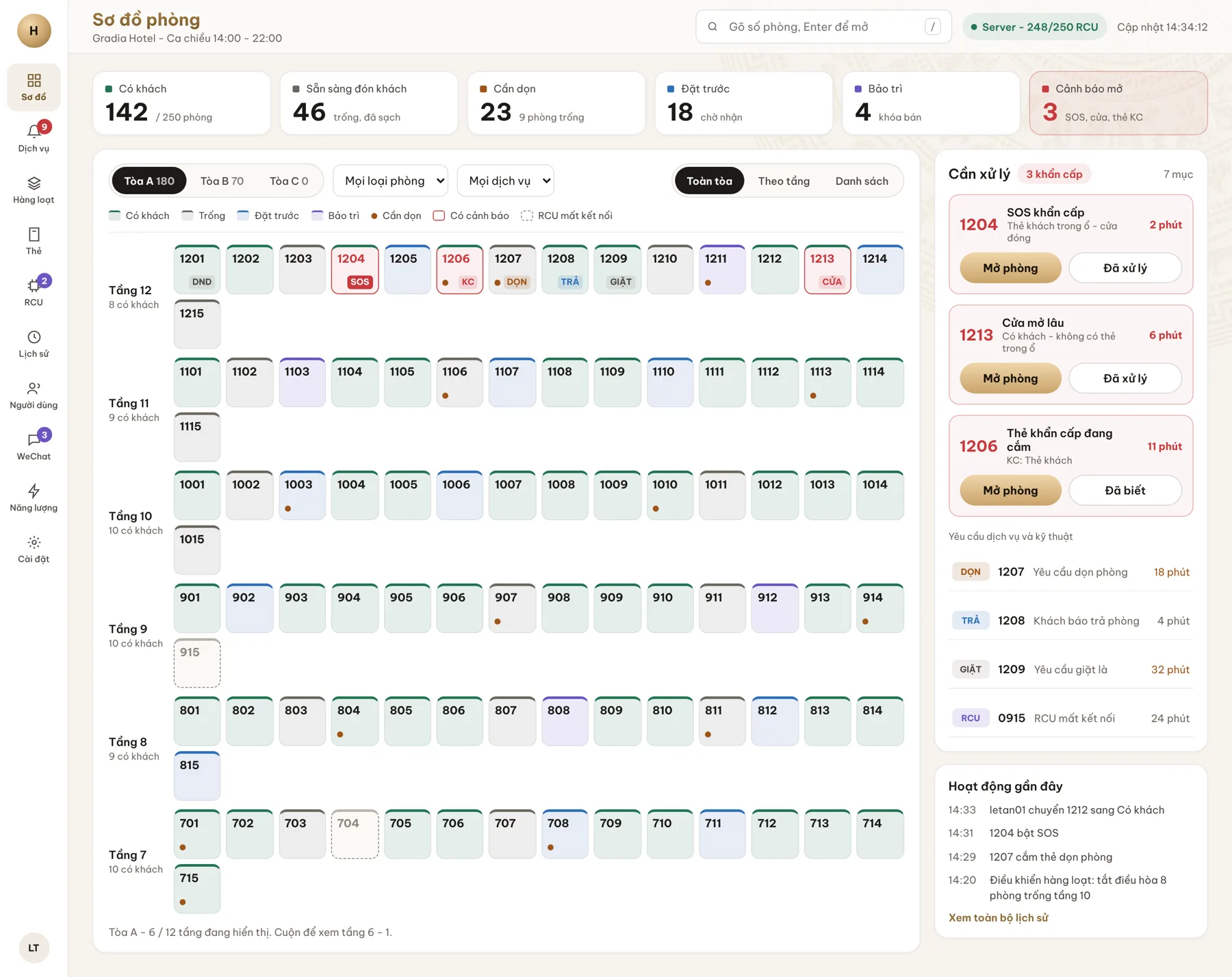
Room map - TingHotel operations web
Room map. The real status of every room from the RCU, with the items that need attention on the right.
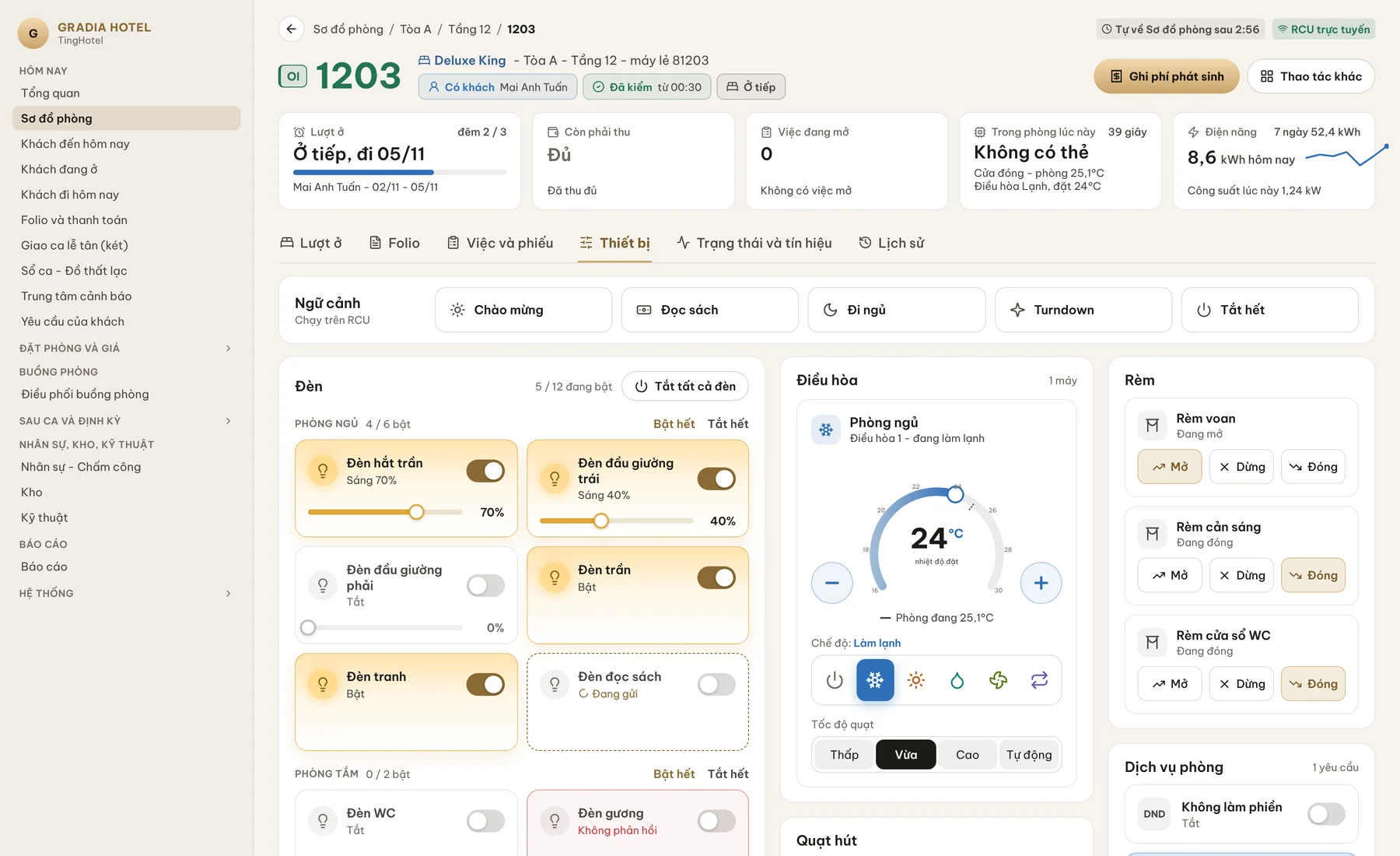
Room detail - TingHotel operations web
Room detail. Handle SOS, control lights, air conditioning and curtains, and view room service and the log on one screen.
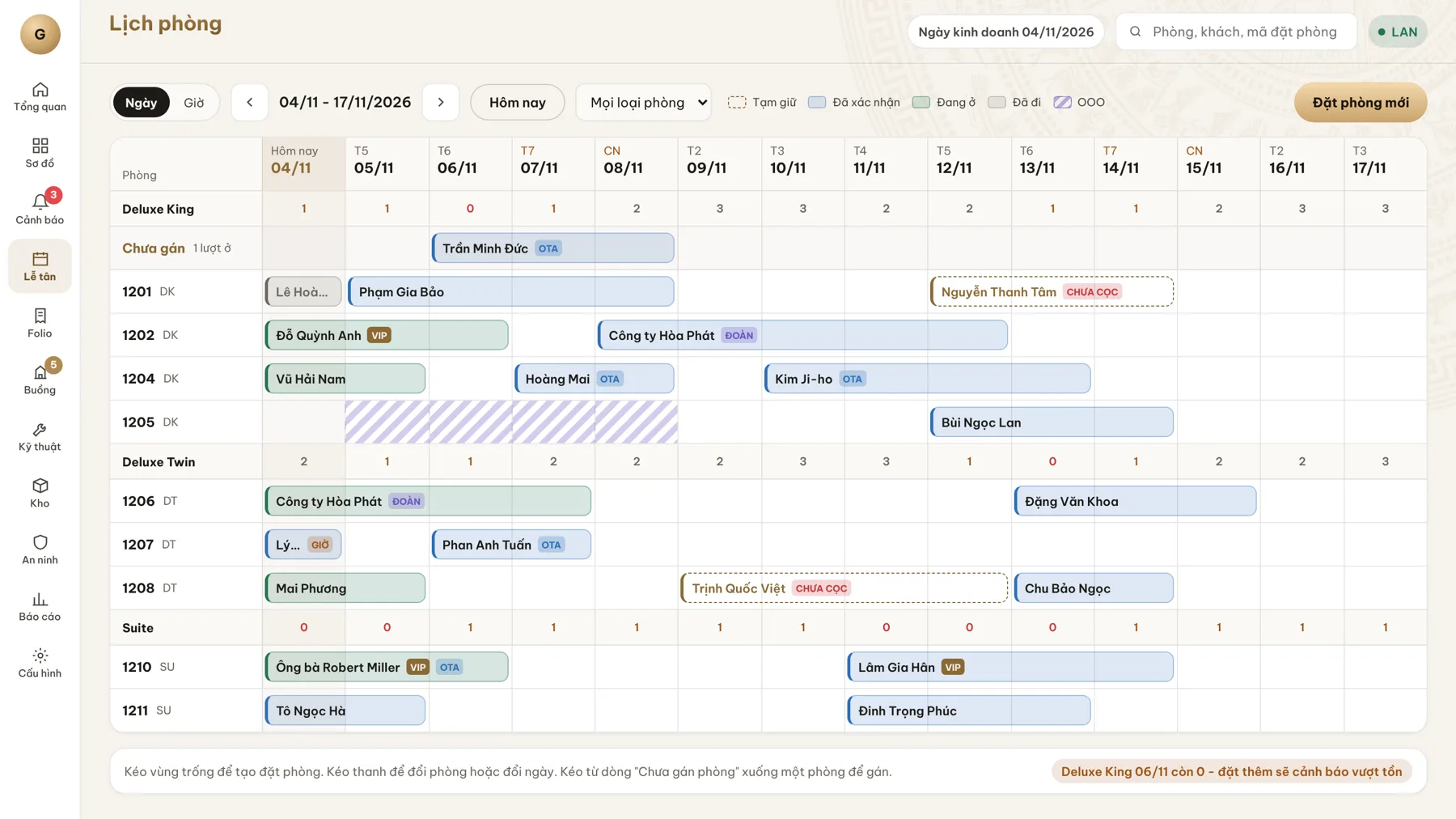
Room calendar - TingHotel operations web
Room calendar. Drag an empty area to create a reservation; drag a bar to change the room or the dates.
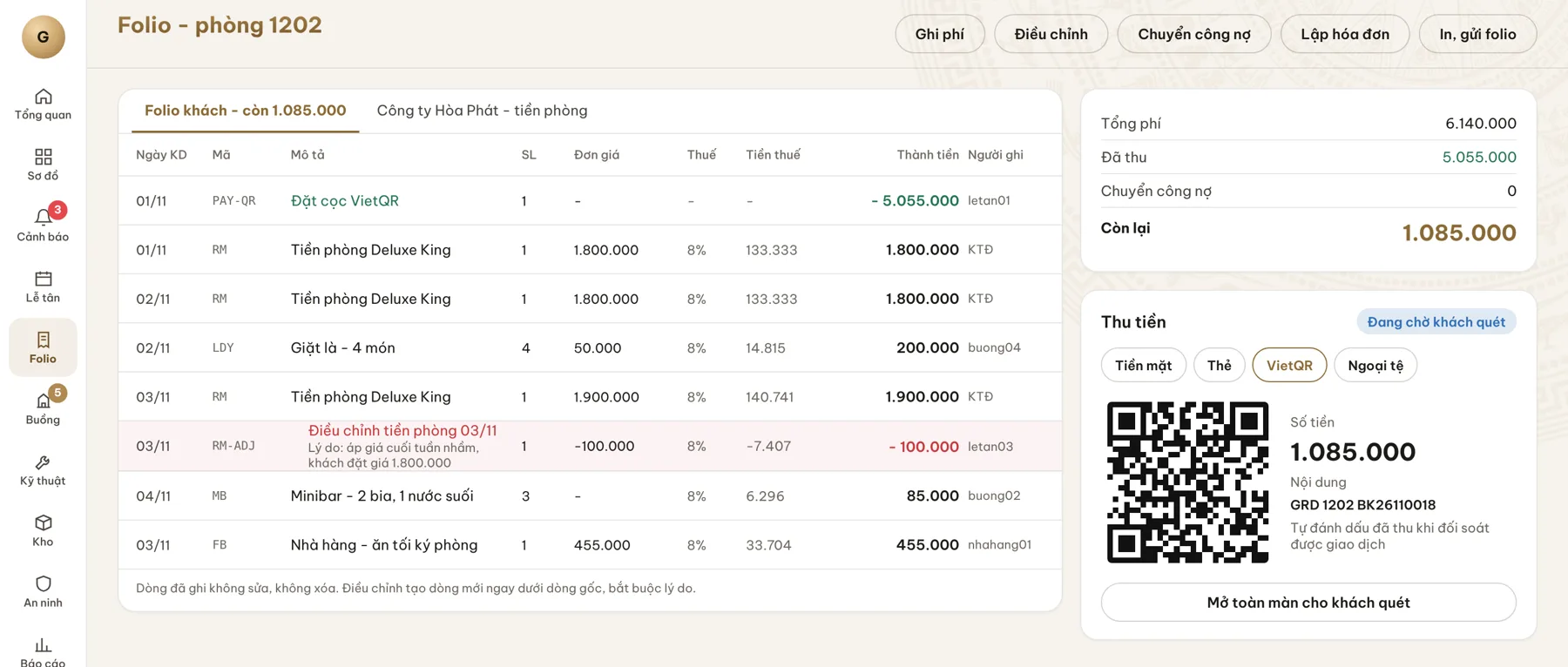
Folio - TingHotel operations web
Folio. Charge lines cannot be edited or deleted; corrections are made with a new line. Collect payment by VietQR for the exact balance.
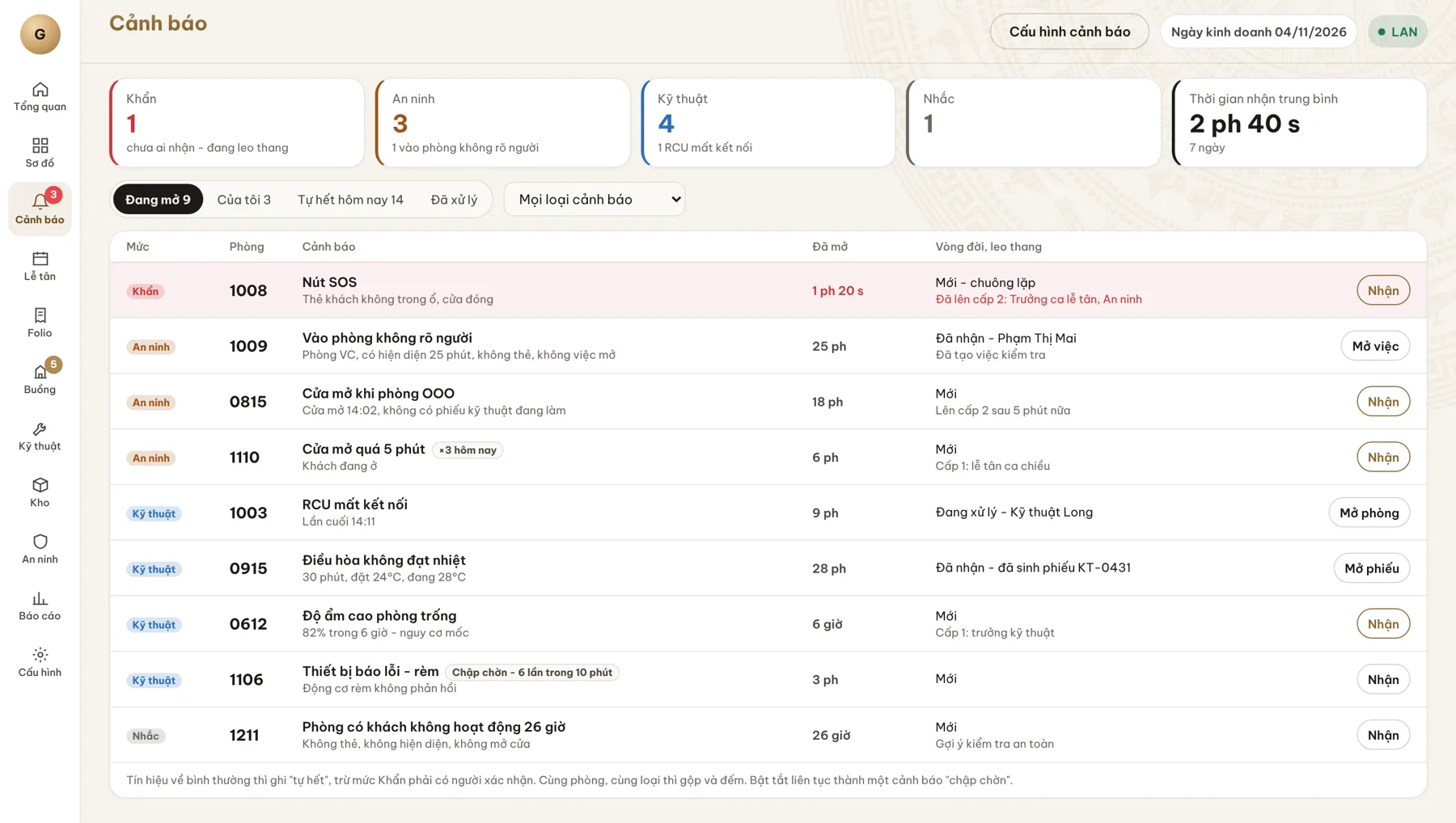
Alerts - TingHotel operations web
Alerts. Four levels: urgent, security, engineering, reminder; false-alarm suppression and escalation by recipient level.
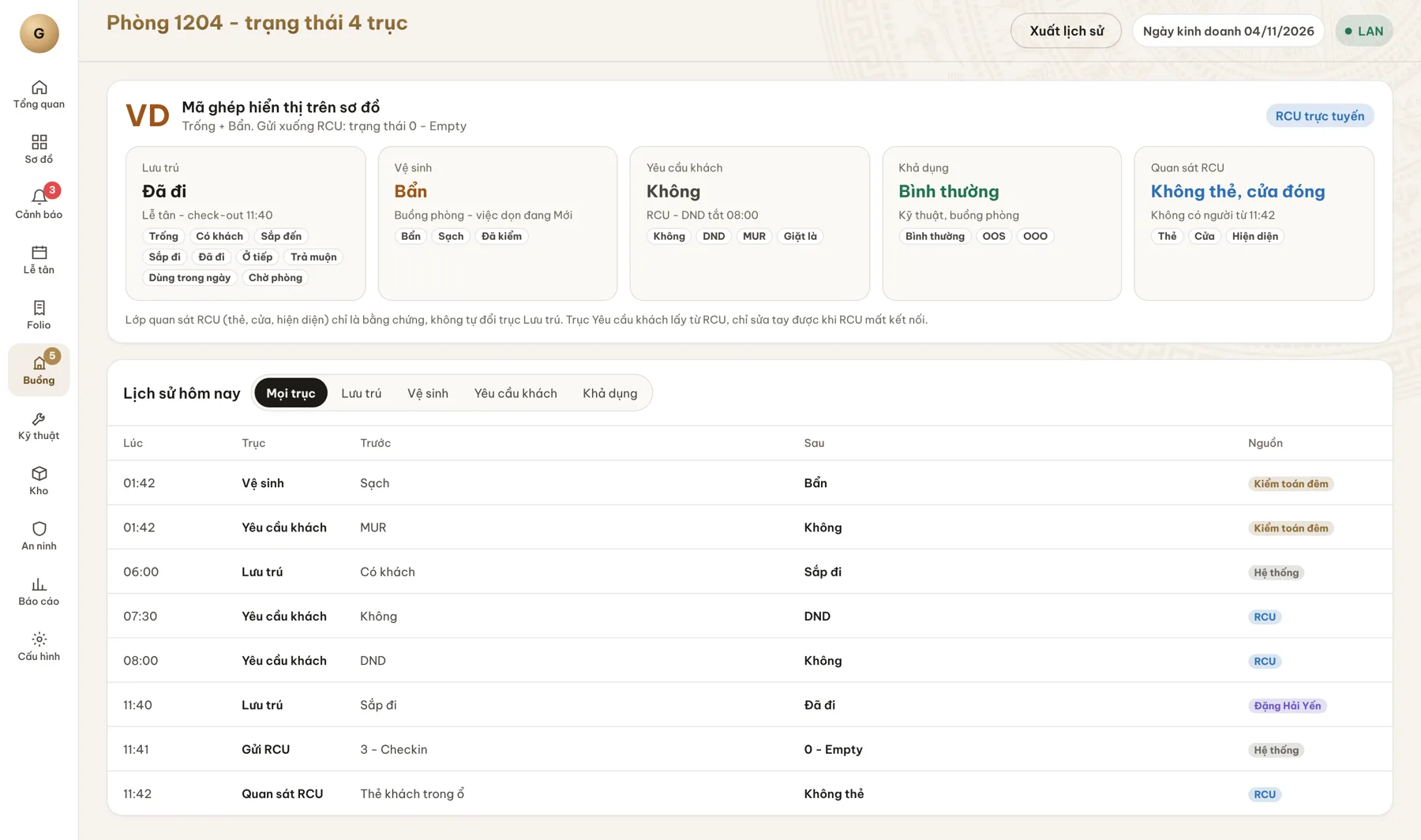
Room status - TingHotel operations web
Room status. Four axes: occupancy, cleanliness, guest requests and availability; every change records its source and time.
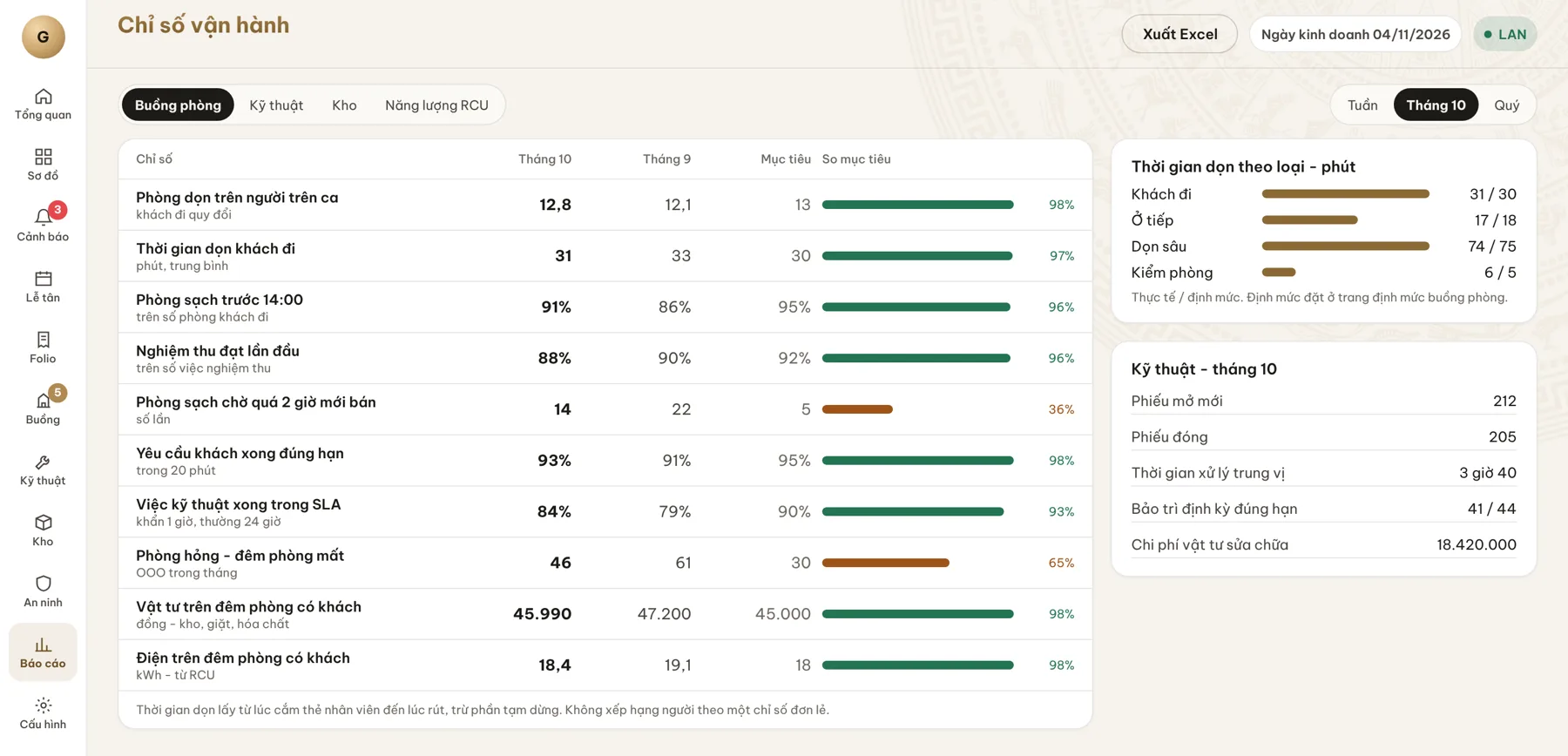
Operating metrics - TingHotel operations web
Operating metrics. Cleaning time, inspection, engineering tickets, supplies and electricity by month.
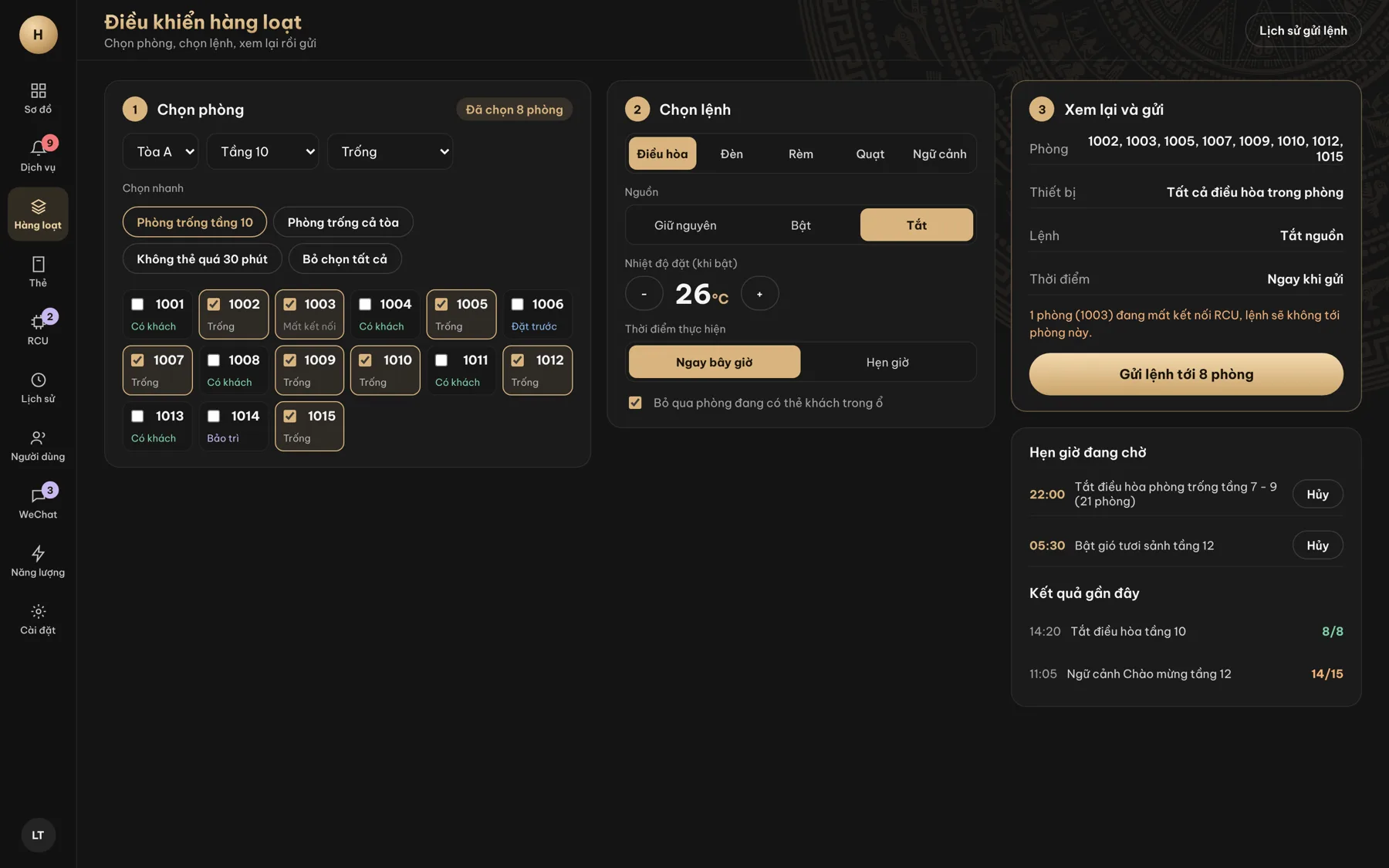
Bulk control - TingHotel operations web
Bulk control. Select rooms by building, floor or status; send commands now or on a schedule, skipping occupied rooms.

Runs in the browser

No installation, always the latest version.

Runs on the local network

Operations continue through the on-site TingEdge when the Internet is down, and data is sent in full once it is back.

Menu by permission

Each person sees only what they are allowed to use; sign in as a test user to check permissions.

Light, dark, Vietnamese, English

Choose the theme and language per user.
Main menu, arranged by the rhythm of the working day

Today

  • Overview
  • Room map
  • Arrivals, in-house, departures
  • Folio and payment
  • Front desk shift handover (cash drawer)
  • Shift log, lost and found
  • Alert center
  • Guest requests

Reservations and rates

  • Reservations and calendar
  • Guest and partner profiles
  • Stay notification
  • Room cards
  • Service orders
  • Room posting counter (point of sale)
  • Rates and room inventory

Housekeeping

  • Housekeeping dispatch
  • Standards and checklists
  • Inspection
  • Contractors and workload

After shift and periodic

  • Night audit
  • Receivables and payment vouchers
  • Bulk control

HR, stores, engineering

  • HR, timekeeping, working hours
  • Stores, minibar, linen
  • Engineering tickets, assets, maintenance

Reports and system

  • Reports
  • Hotel settings
  • Users and permissions
  • TingEdge and RCU management
Staff app

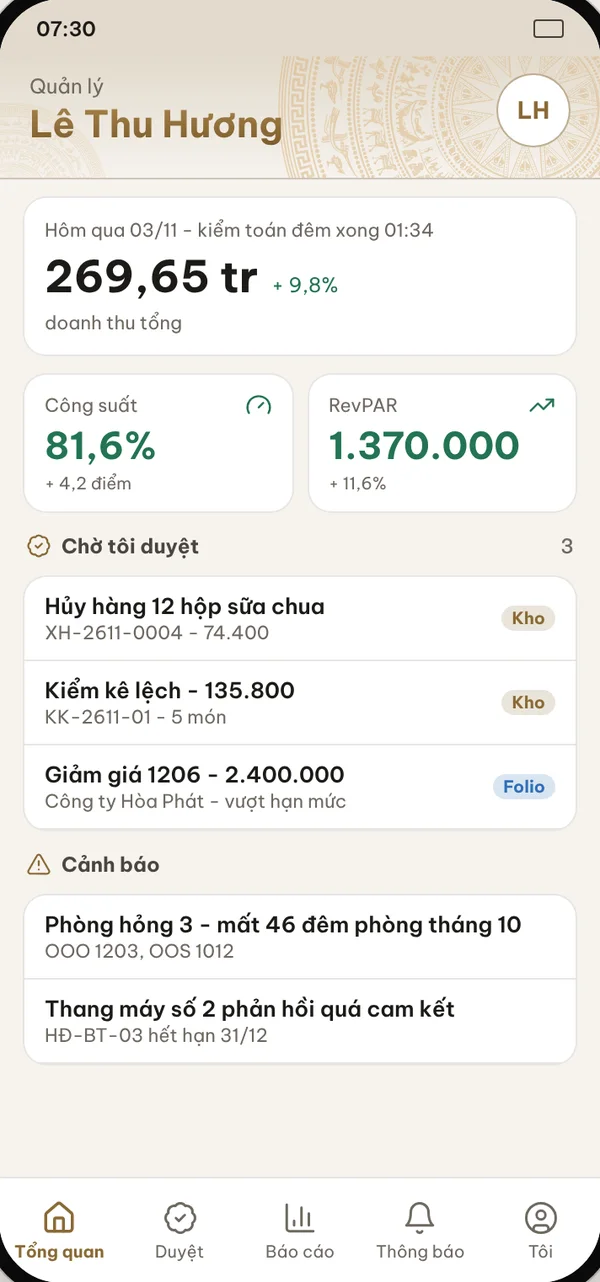
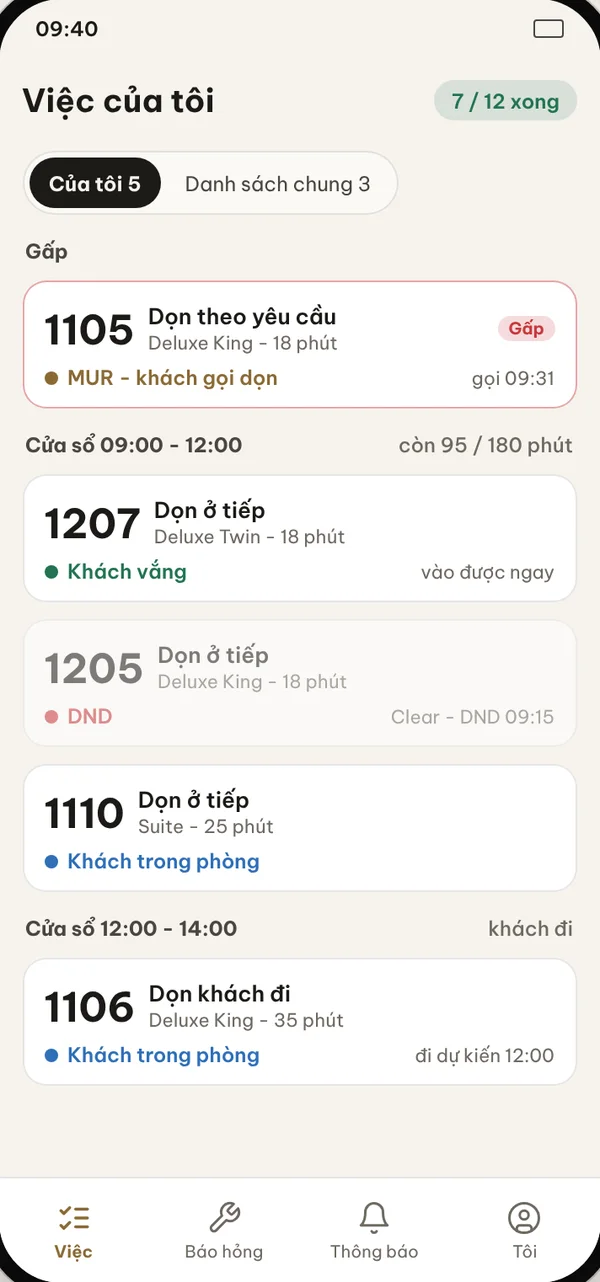
One app for eight roles

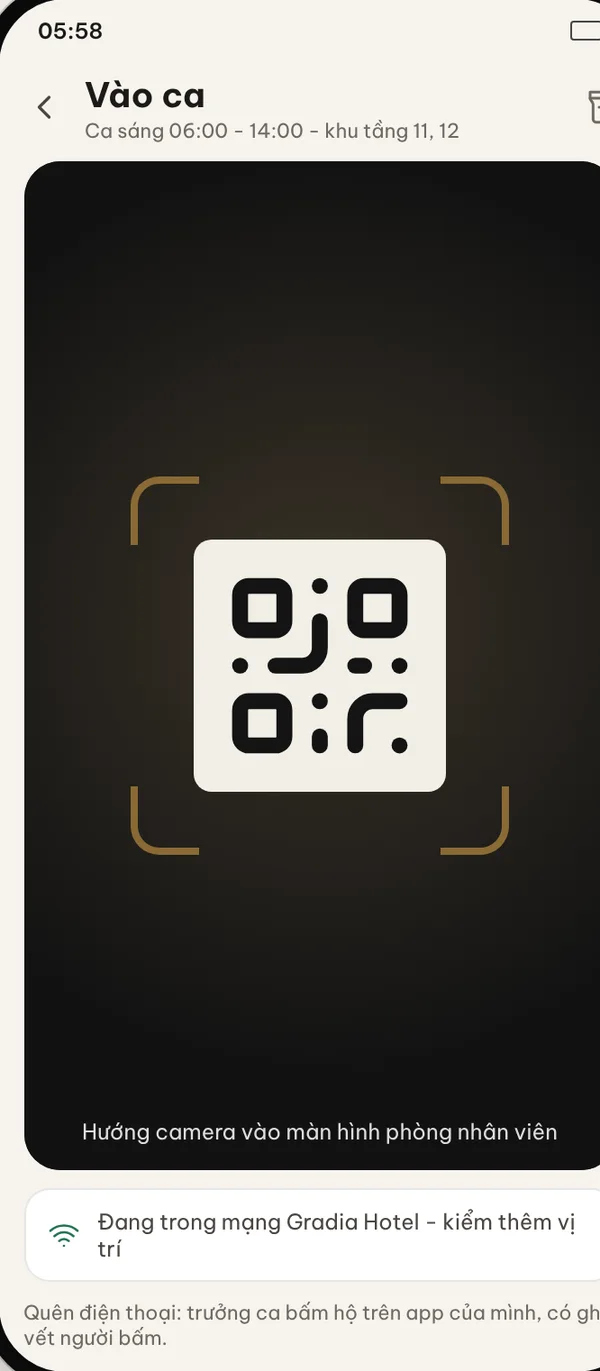
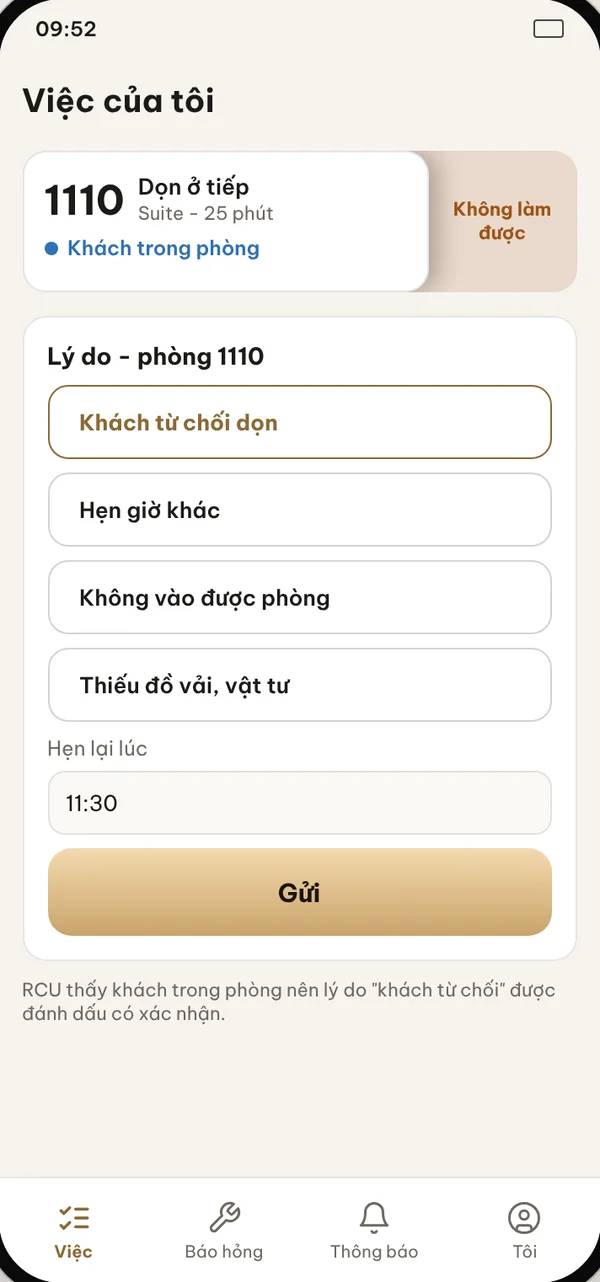
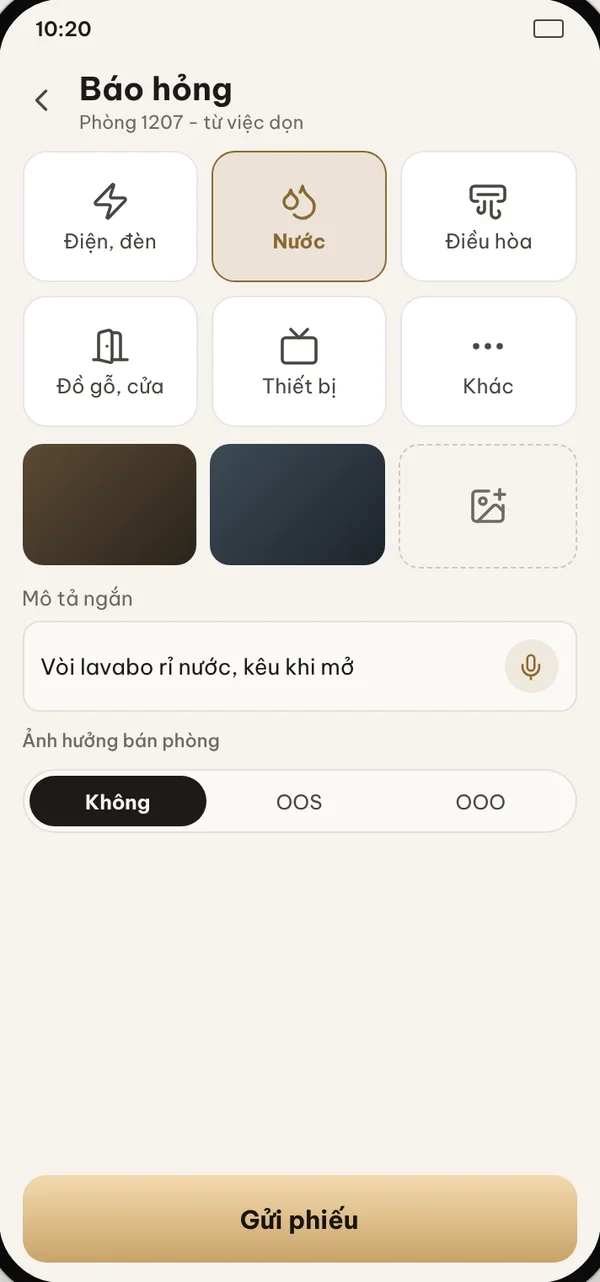
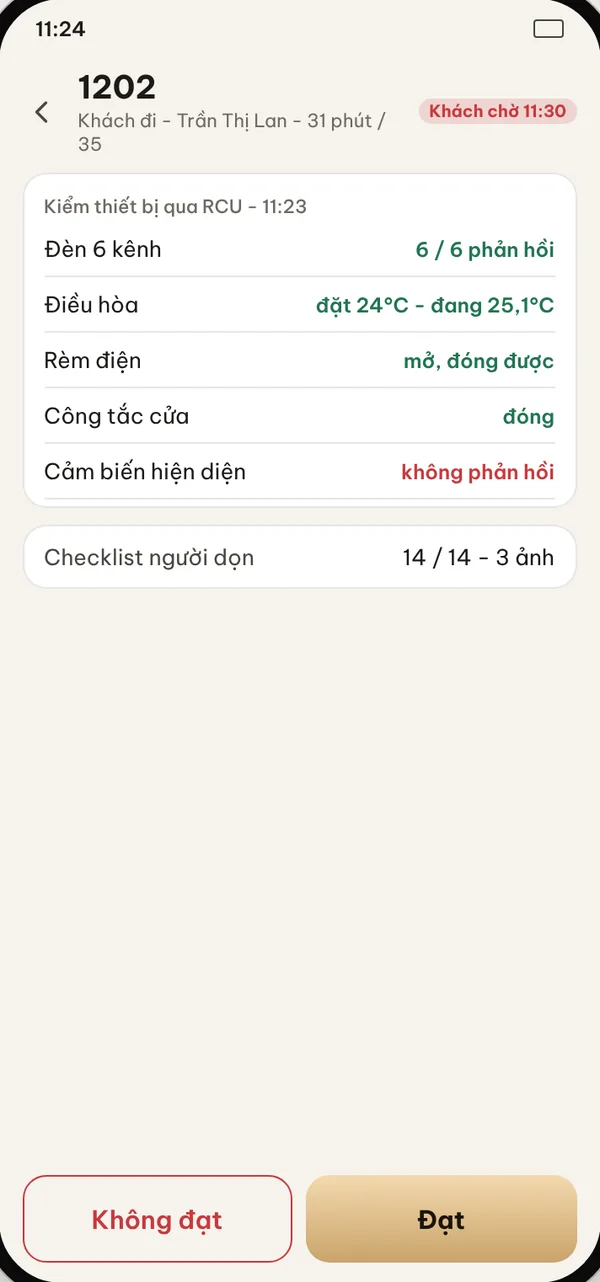
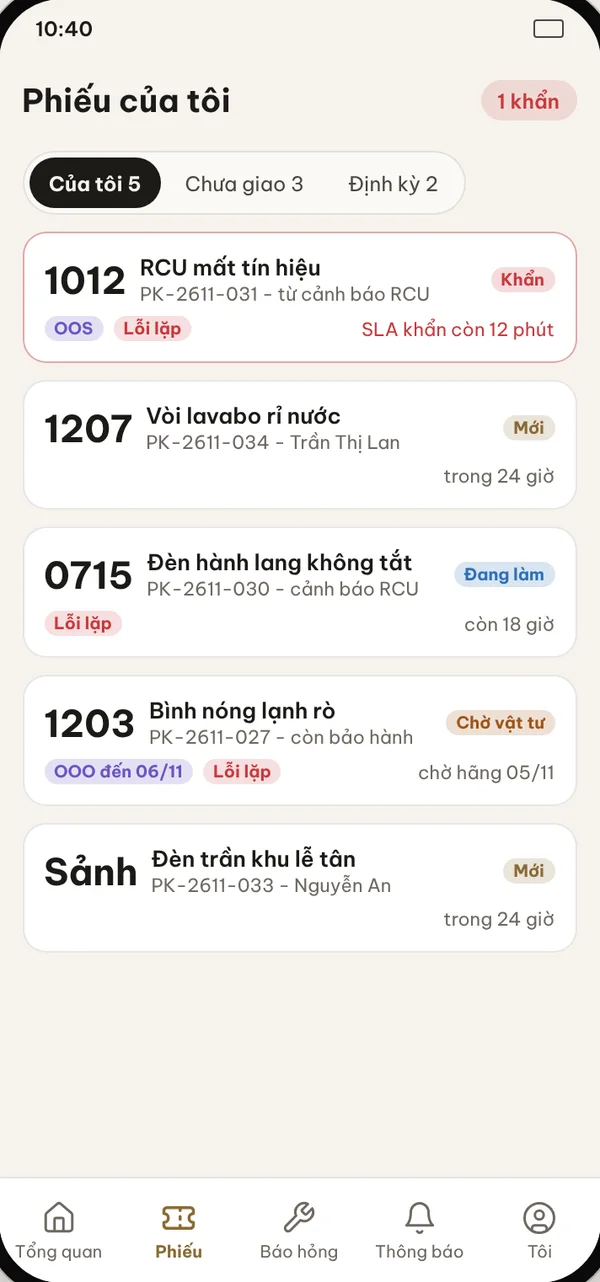
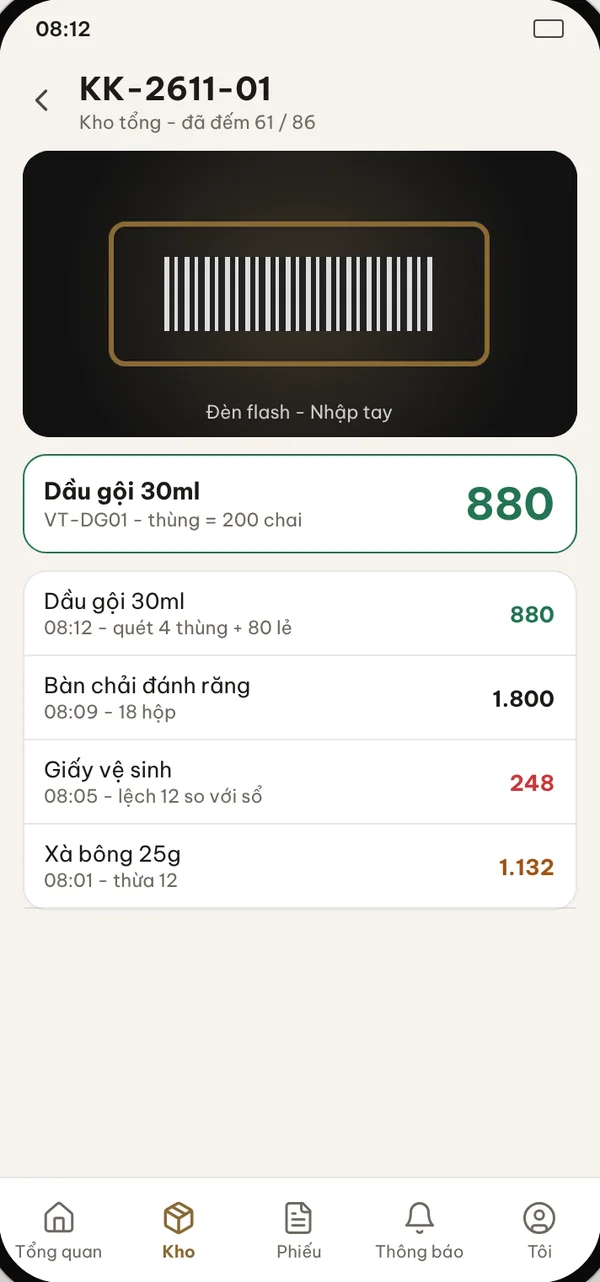
A room attendant opens the app and sees their own tasks. A supervisor sees dispatch and inspection; engineering sees tickets. Each role has its own tab bar.

Choose a feature to see it on the screen

Eight roles, each with its own tab bar

Room attendant

  • Tasks
  • Report fault
  • Notifications
  • Me

Housekeeping supervisor

  • Overview
  • Dispatch
  • Inspection
  • Notifications
  • Me

Engineering

  • Overview
  • Tickets
  • Report fault
  • Notifications
  • Me

Front desk

  • Overview
  • Rooms
  • Guests
  • Notifications
  • Me

Manager

  • Overview
  • Approve
  • Reports
  • Notifications
  • Me

Storekeeper

  • Overview
  • Stores
  • Tickets
  • Notifications
  • Me

Contractor lead

  • Overview
  • Task batches
  • Workload
  • Notifications
  • Me

Security

  • Overview
  • Cards
  • Incidents
  • Notifications
  • Me

One-handed use

Large buttons, few steps and no technical jargon for people working on the floor.

Records even when offline

Actions are kept on the device and sent in the correct order when the network returns.

Flexible sign-in

Phone number, email or Google; one person can hold several roles and switch in the app.

Know the room from the RCU

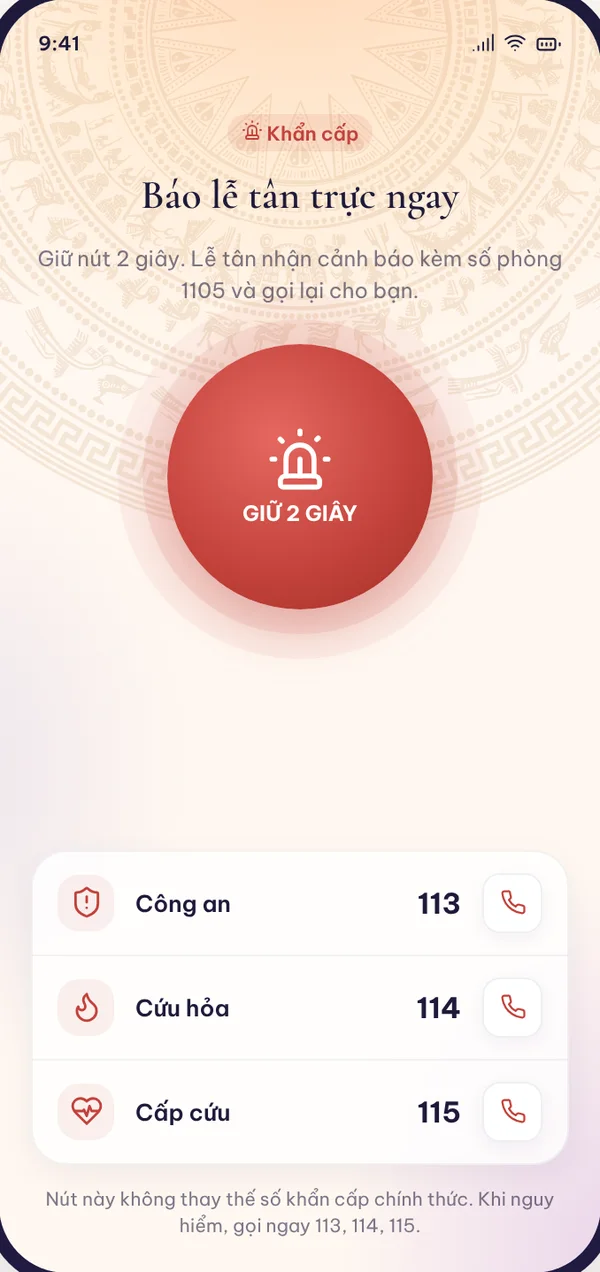
Guest in the room, DND, card inserted: staff see it before knocking.
Guest app

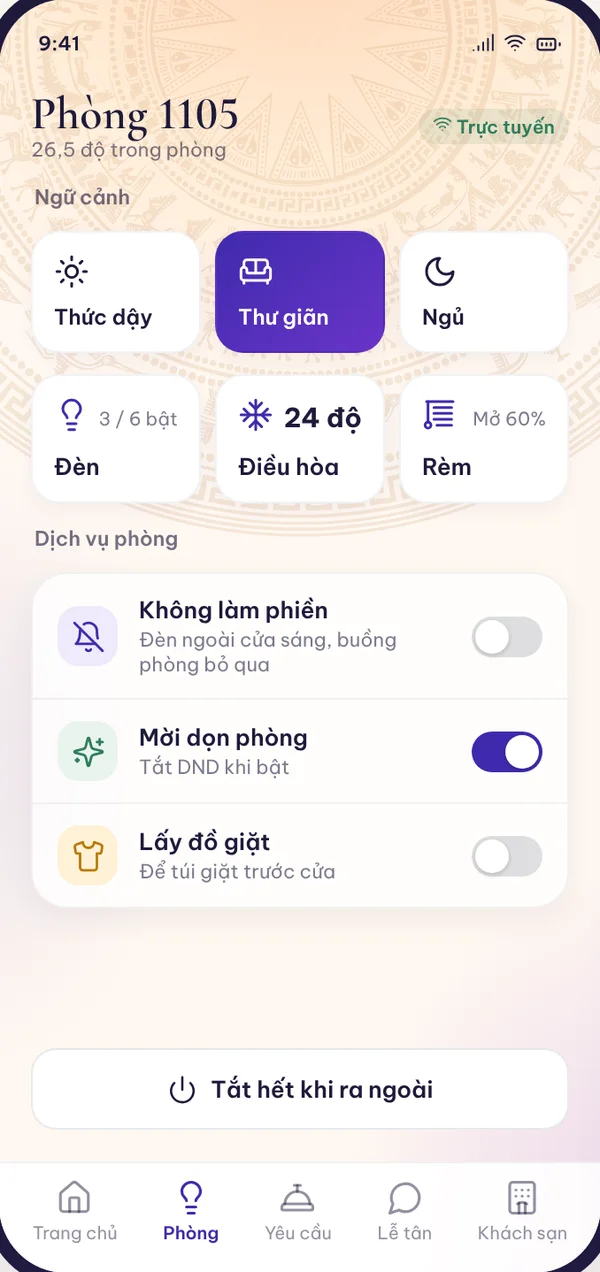
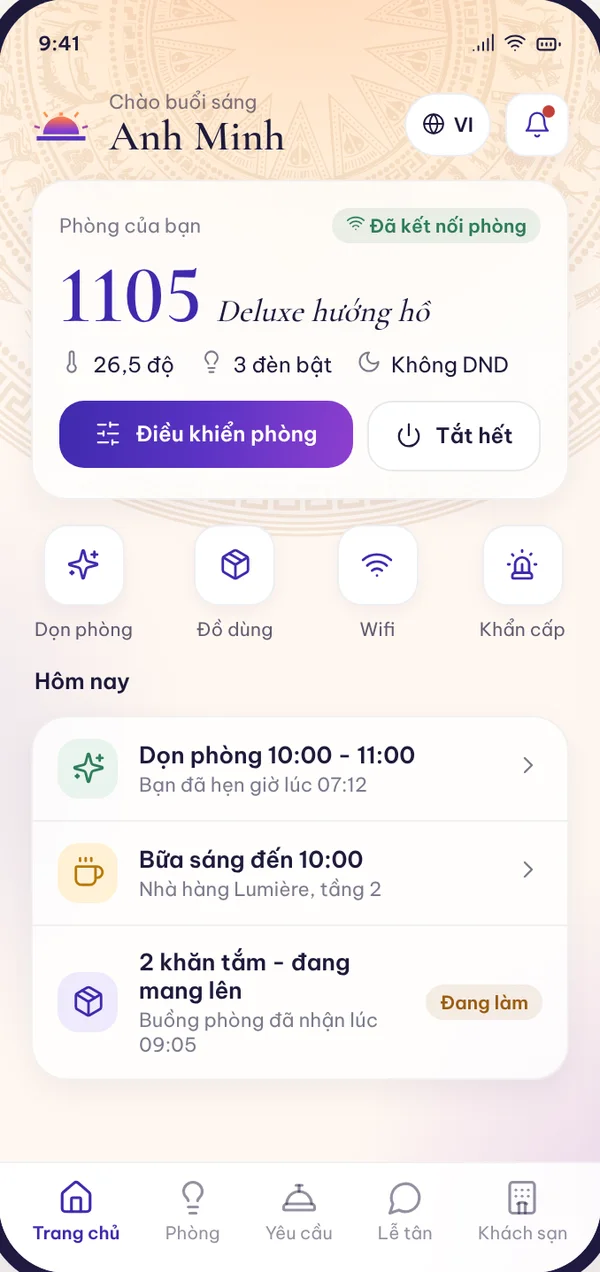
A room that listens to the guest, right on their phone

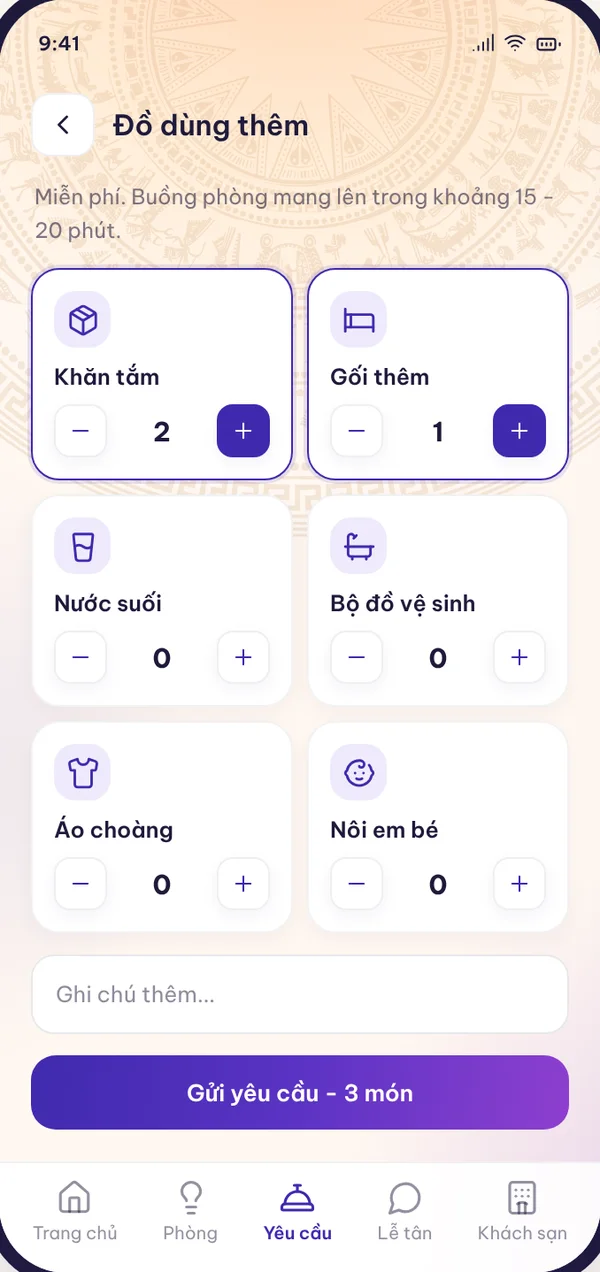
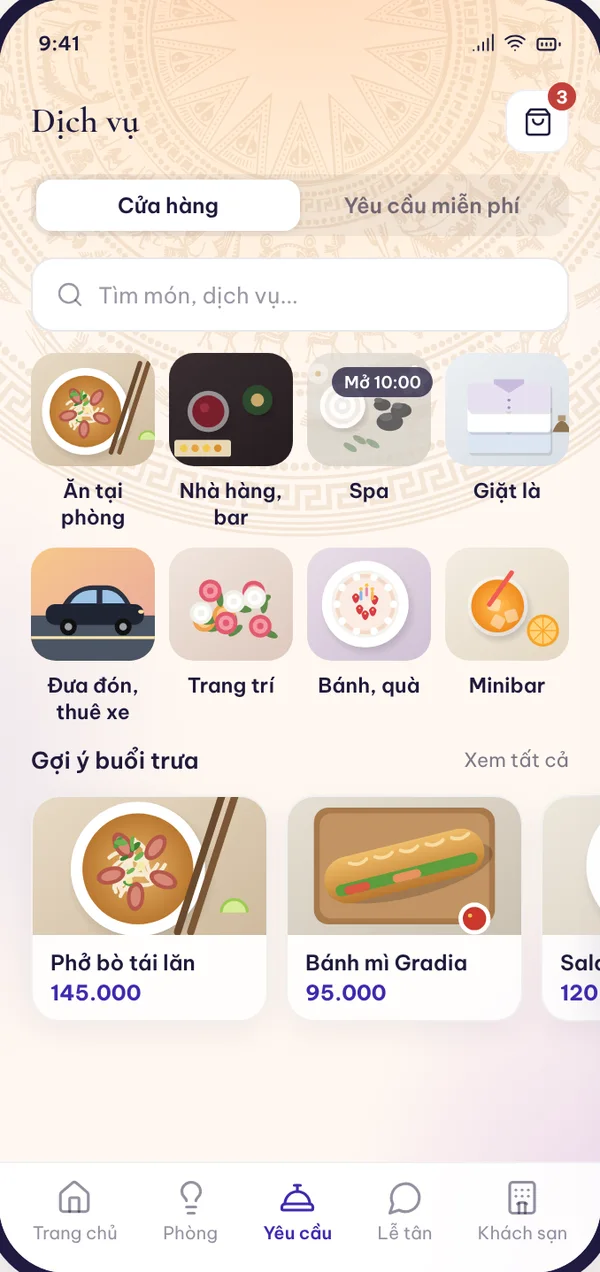
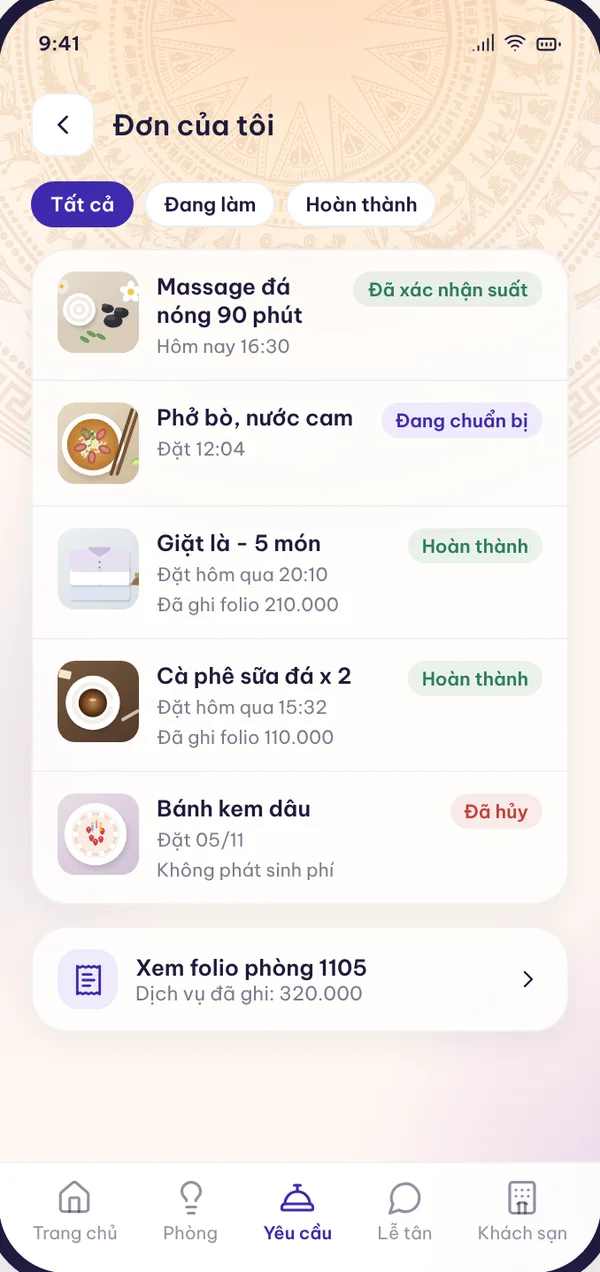
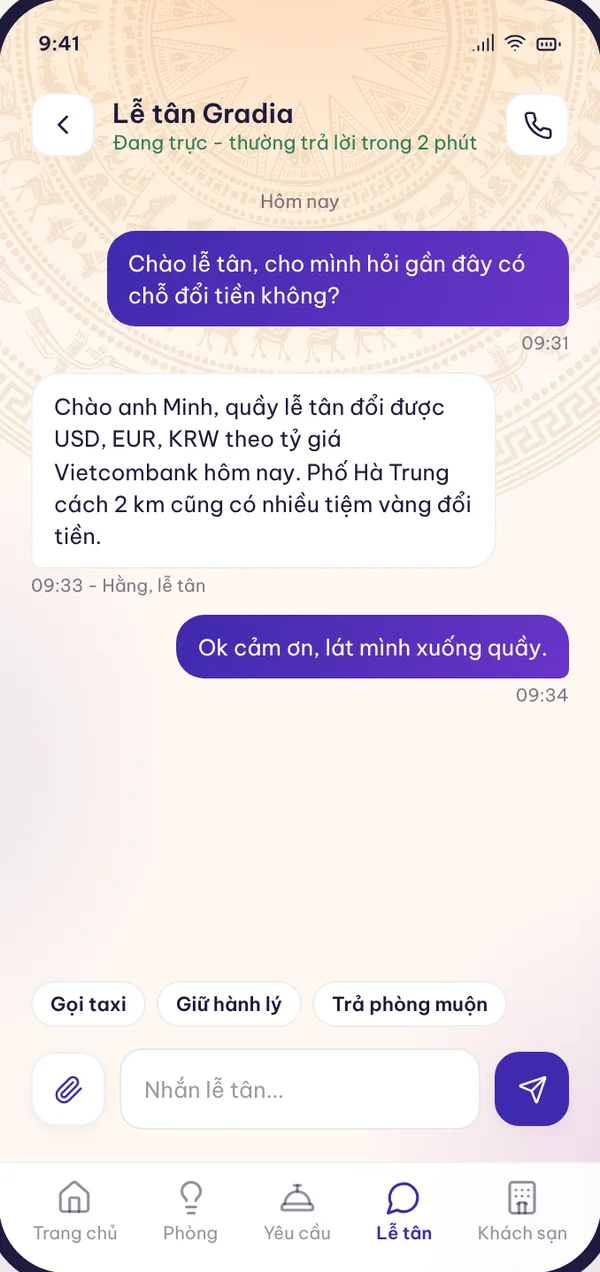
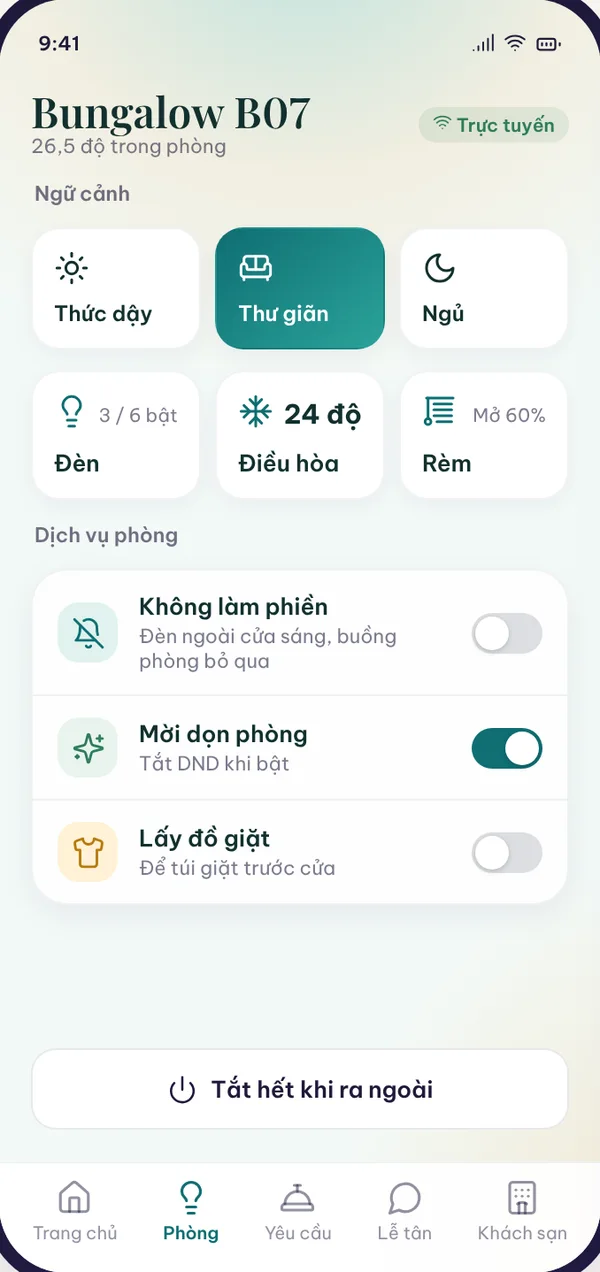
Guests do not create an account. The hotel sends a link and the guest opens it to control their own room. At check-out the access ends automatically.

Choose a feature to see it on the screen

All guest app functions

Enter the app by stay

  • Open from the link the hotel sends by Zalo, email, SMS or WhatsApp
  • Or enter the booking code and full name
  • The main guest invites people sharing the room
  • Access ends automatically on check-out or room change

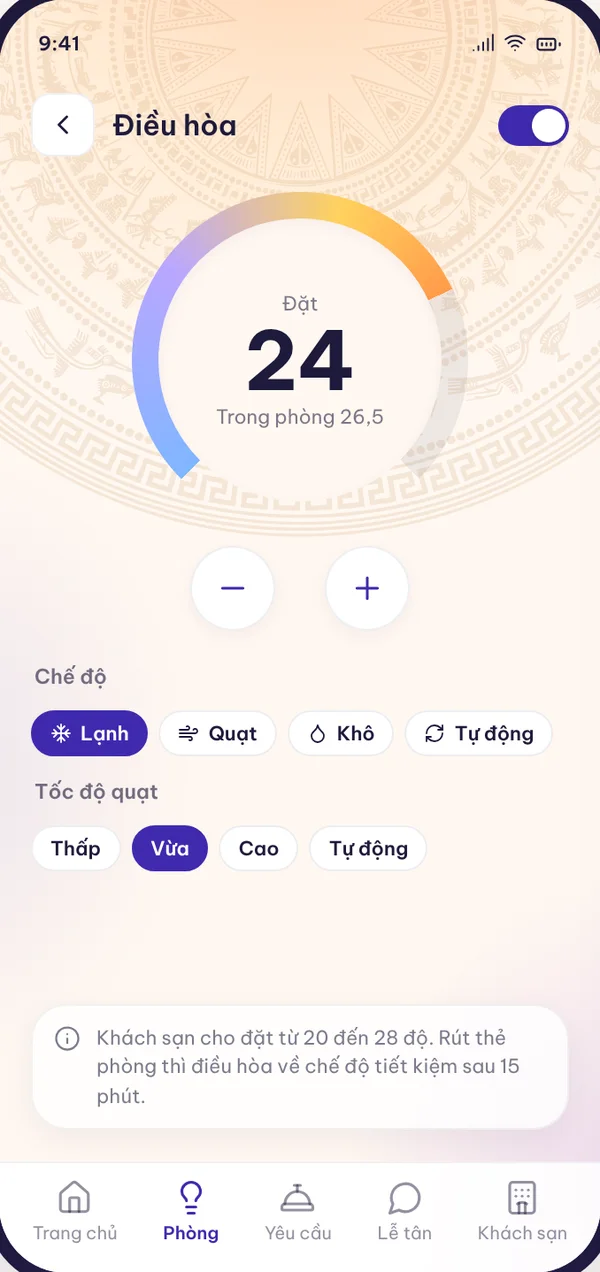
Room control

  • One-touch lighting scenes
  • Individual lighting channels and brightness
  • Air conditioning with the real room temperature
  • Curtains and fan; switch everything off when going out
  • Only the channels and temperature range the hotel allows

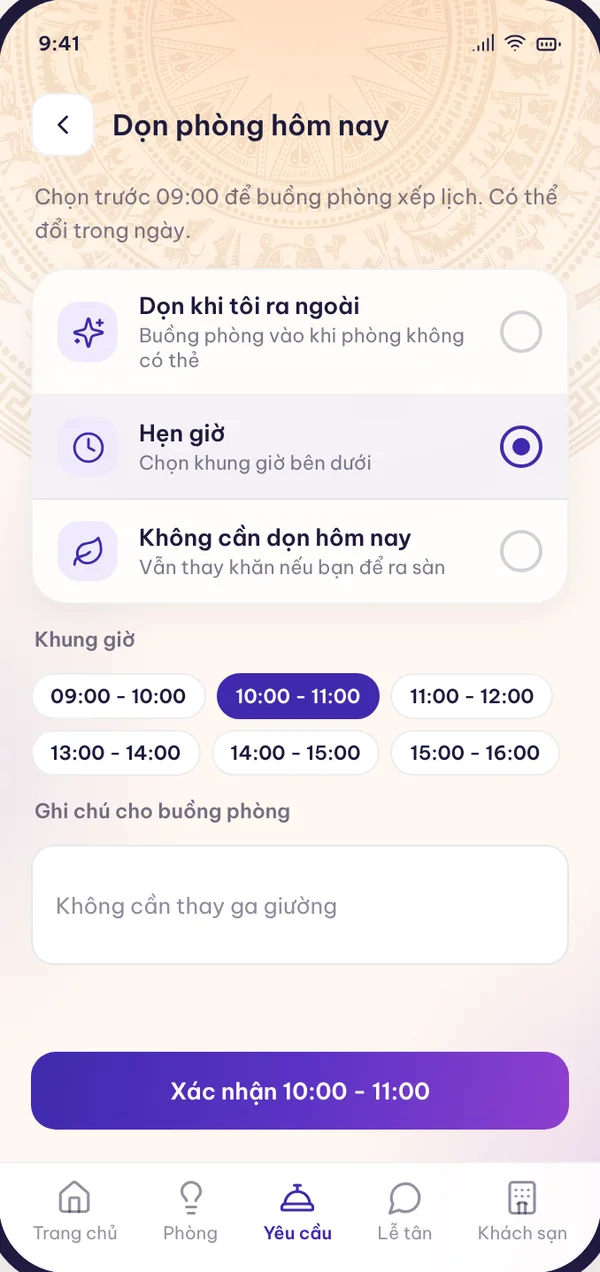
Requests during the stay

  • Do not disturb, cleaning request, laundry pick-up
  • Choose today's cleaning time
  • Free extra items
  • Message the front desk, emergency button

Service shop

  • In-room dining, restaurant, spa, laundry, transfers
  • Item options, a basket that spans several departments
  • Time-slot services only appear when a slot is available
  • Track the order until it is completed

Folio and payment

  • View the folio in real time
  • The hotel's VietQR code for the exact balance
  • Request a company invoice, remote check-out
  • The app does not collect or hold money

Hotel branding

  • The hotel's name, logo, colours, fonts and images
  • A separate build for each hotel
  • Alert and error colours are shared so guests are not confused
  • Vietnamese and English; more languages per hotel
Own branding

Guests see the hotel's brand, not the supplier's

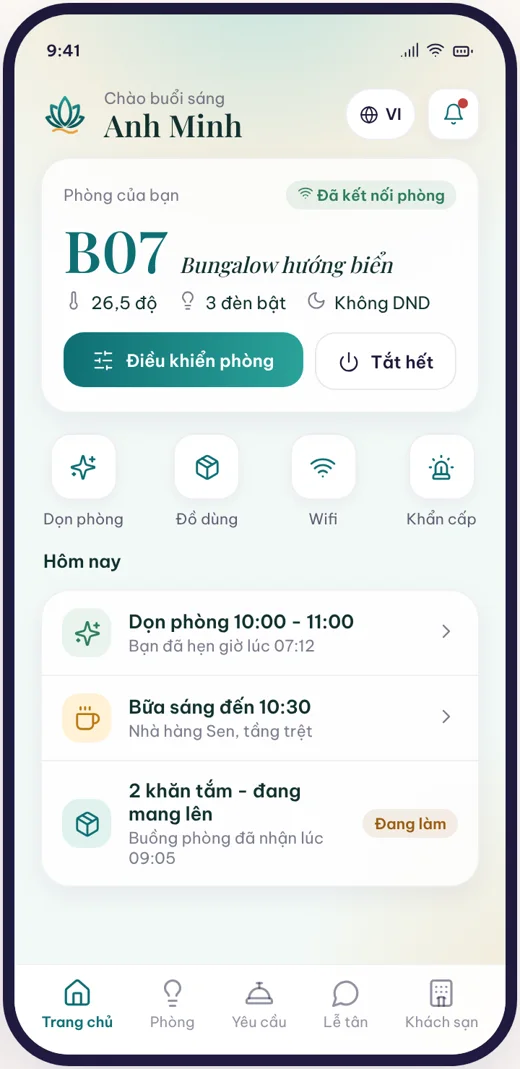
Each hotel gets an app in its own identity: name, logo, colours, fonts and cover image. The same screen with a different colour set becomes another hotel's version. Hotels on the free plan or Essential can add it as an add-on.
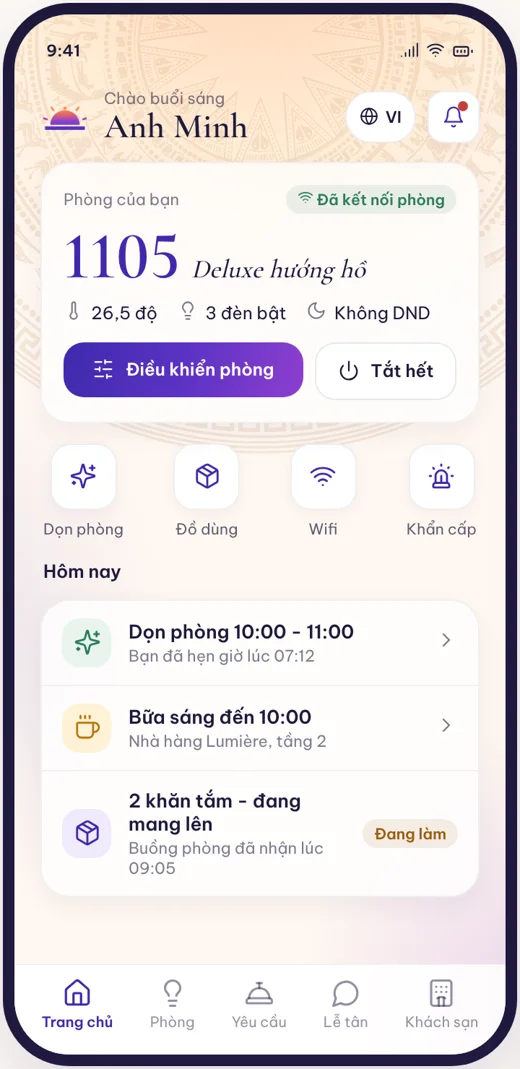
Guest app in the identity of the sample hotel Gradia
Sample hotel Gradia
Guest app in the identity of the sample hotel Lotus Bay
Sample hotel Lotus Bay

Screenshots from the design version, with sample hotel data. Some functions are still being completed according to the roadmap.

See TingHotel running on a sample hotel

HDL Vietnam engineers demonstrate the room map, check-in, SOS alerts and the guest app on a real room controller or the virtual RCU.