
Essential - 59 features
Front desk and reservations
Room classes, rates, cancellation policy, daily inventory, hourly rental, groups, check-in and check-out, night audit and stay notification.
Three layers on one dataset: room devices, hotel operations and user-facing apps.
Front desk, managers, staff, guests
One dataset for rooms, stays, tasks and folio
Source of real status
Web for the front desk and managers, apps for staff and guests. The same room data.
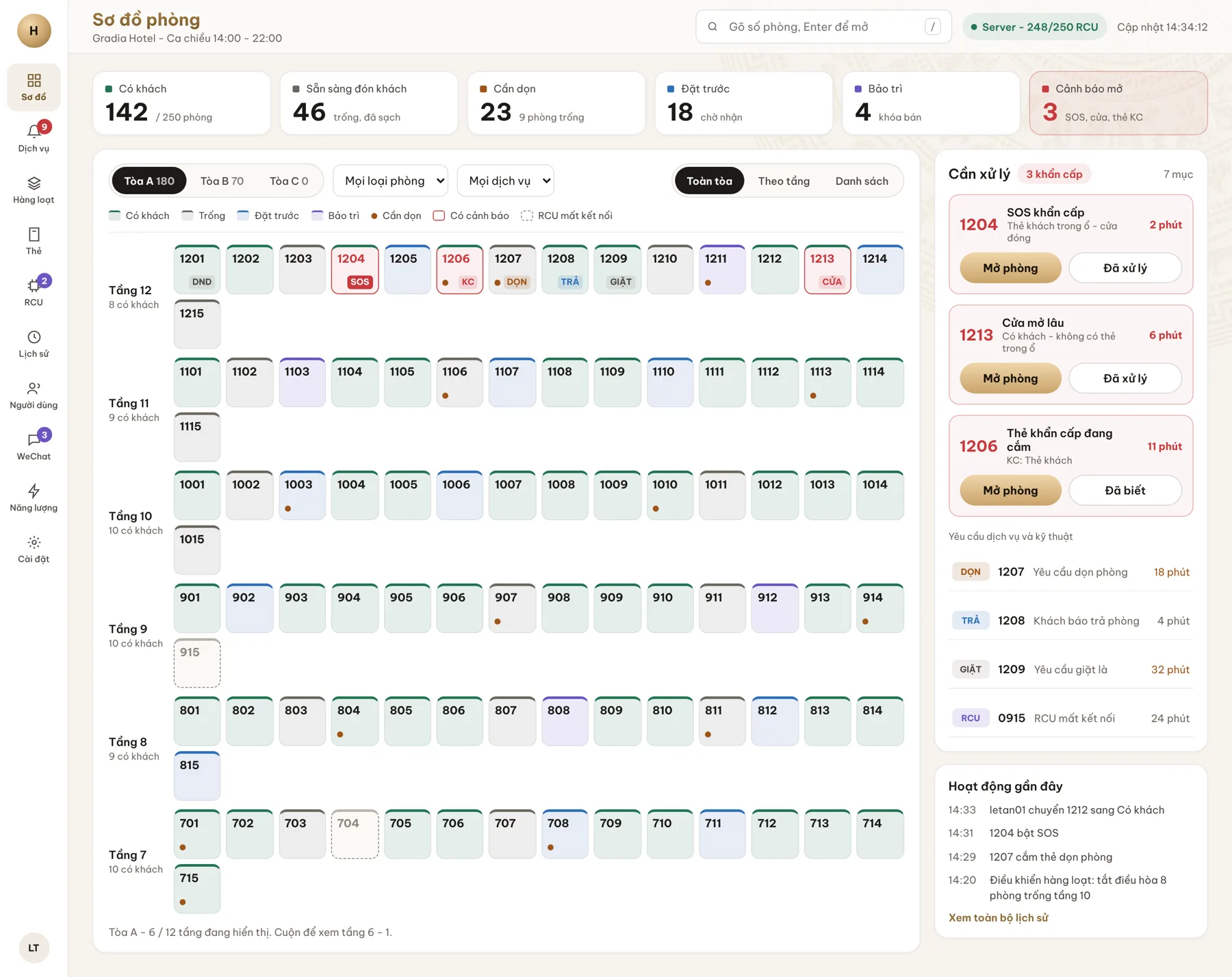
Every department starts from the real-time room map: which rooms have guests, are ready to welcome one, need cleaning or have alerts.
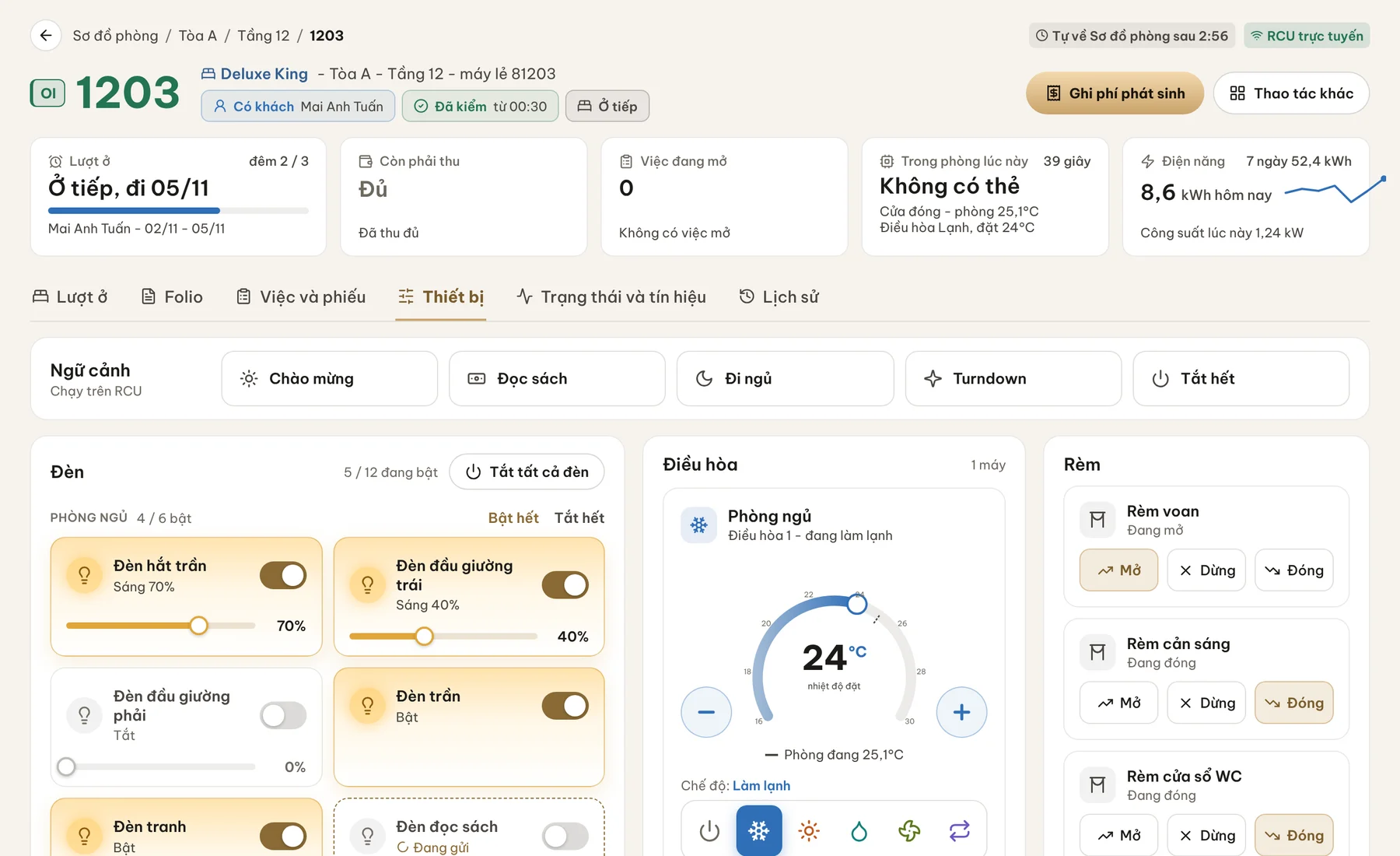
The guest in the room, related bookings, devices, temperature and the action log: all on one screen.
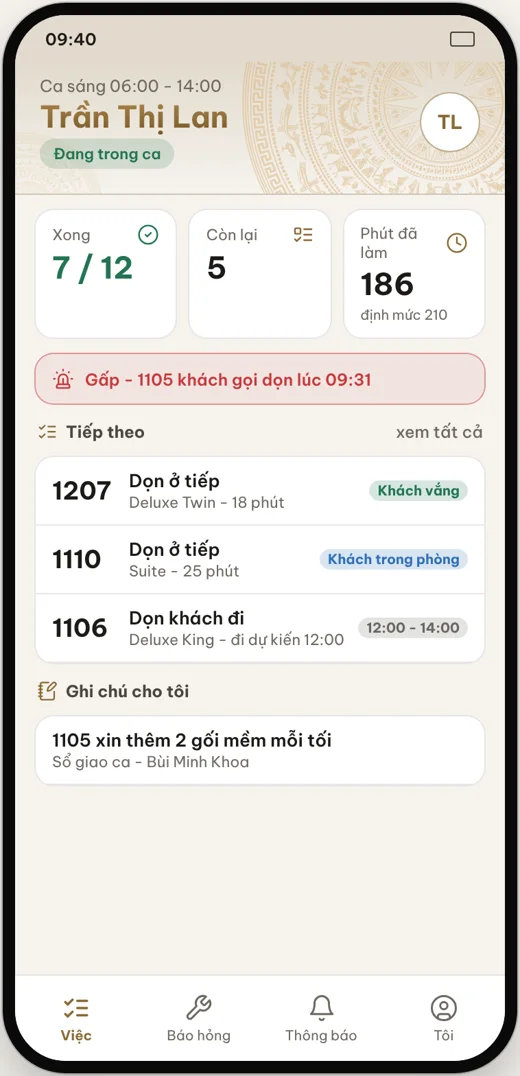
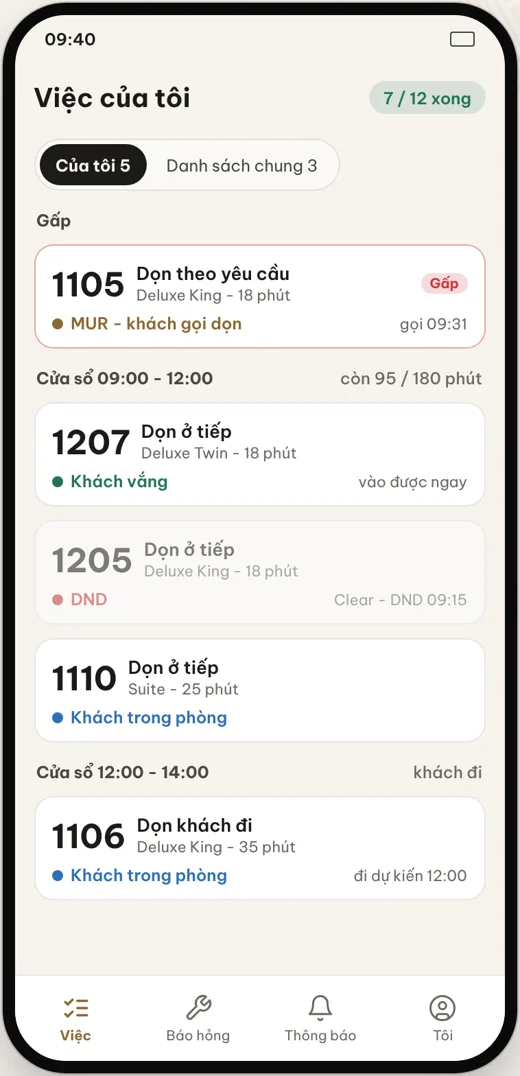
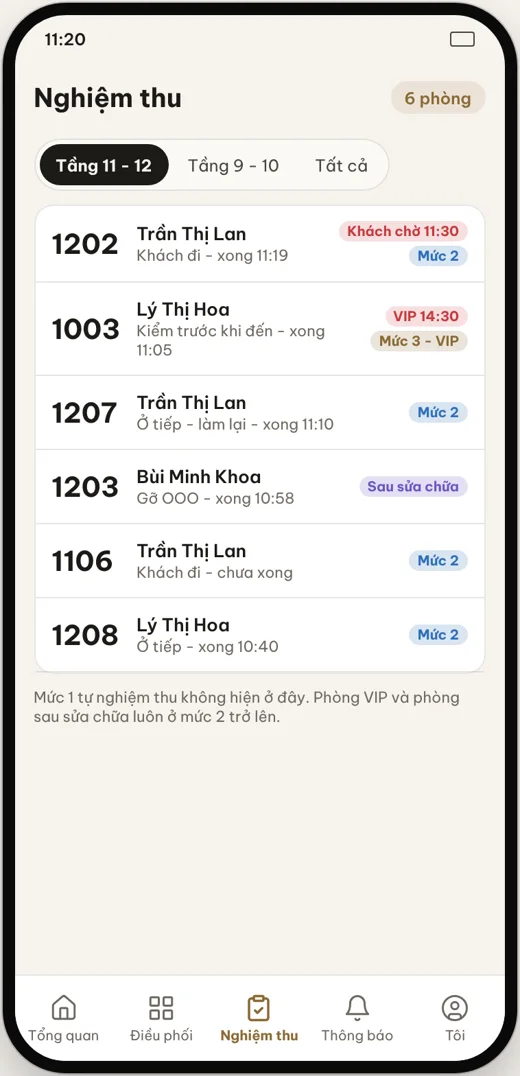
Housekeeping and engineering receive tasks, report progress and inspect rooms right on the phone.
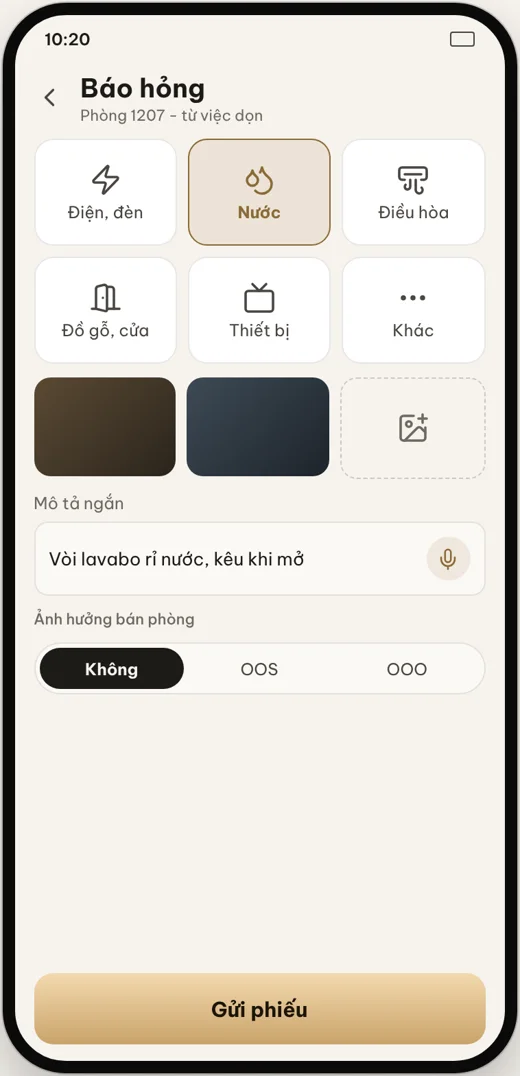
Guests enter the app with a phone number and a one-time code, control the room, call services and order food.
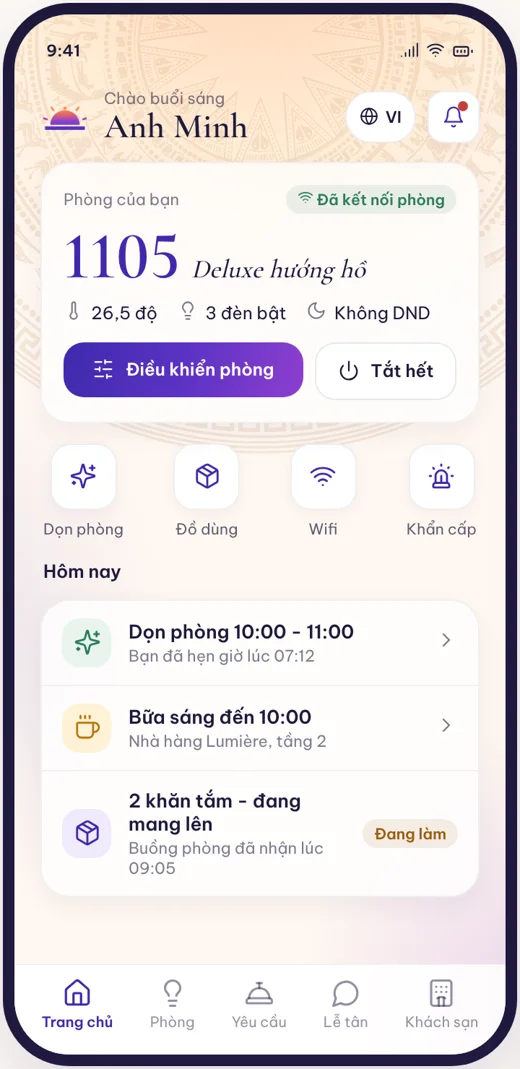
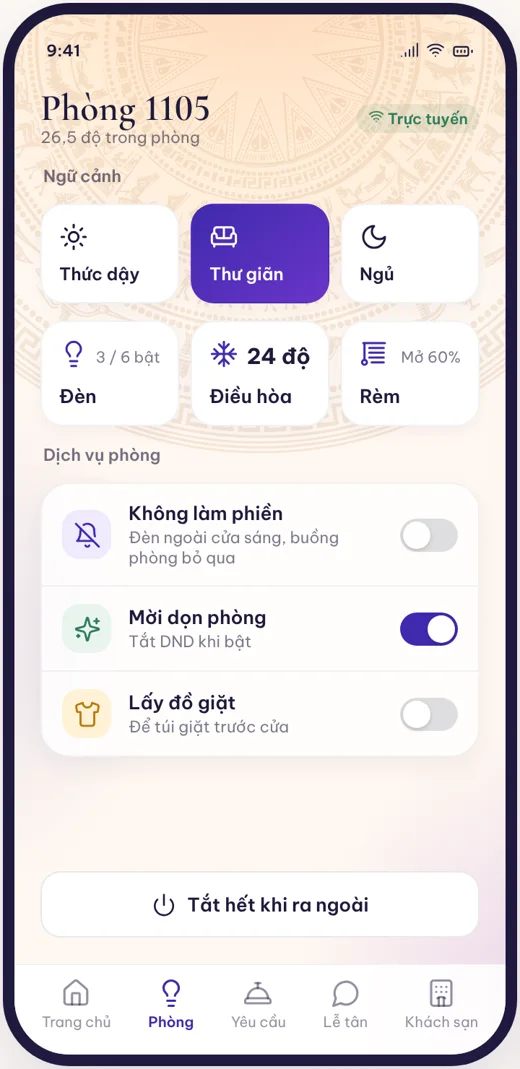
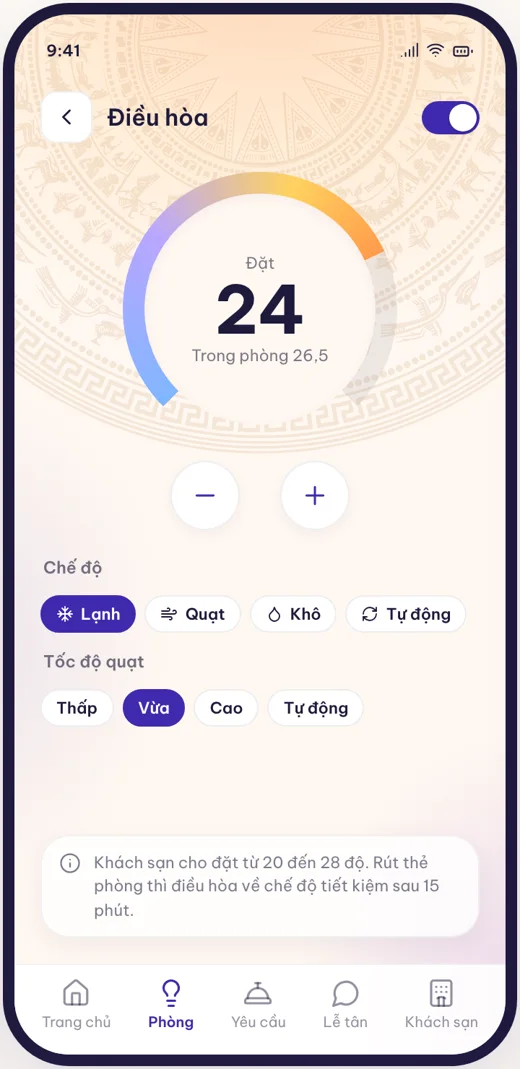
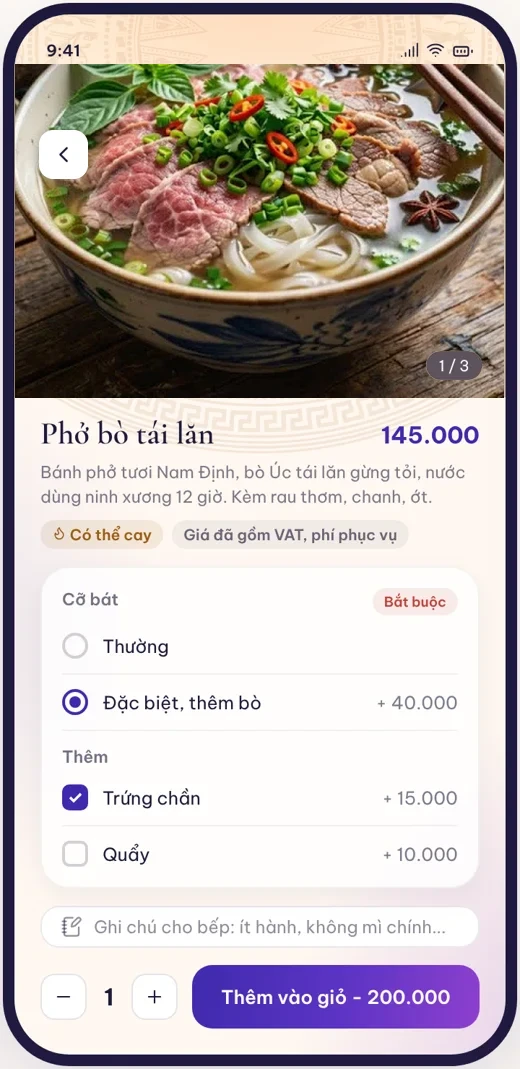
The same stay, with each step done by a different department but all sharing the same data.
Booked directly, through an OTA or as a group. Rate classes, cancellation policy and daily inventory decide which rooms are still for sale.
The front desk picks a room that has been cleaned and accepted. A room assigned in advance can be pre-cooled before the guest arrives.
Documents, stay notification and deposit. Once done, the room runs the welcome scene and the guest enters the app with a one-time code.
Charges go to the folio, the guest calls services from the app, and housekeeping cleans according to card, door and DND status. Incidents and SOS reach the right person on shift.
Collect payment and close the folio. The room goes to needs-cleaning, creates tasks for housekeeping, and in-room devices go to energy-saving mode.
Post room charges, handle no-shows and close the business day. Figures go into reports and clean data for accounting.
Every module reads real room status from the RCU, so the front desk, housekeeping and engineering do not re-enter data for each other. The full list is on the Features page.
Room classes, rates, cancellation policy, daily inventory, hourly rental, groups, check-in and check-out, night audit and stay notification.
Post charges by transaction code, take payments and deposits, move charges to a company folio, cash drawer and cashier handover, and approved, logged adjustments.
Cleaning lists from real room status, task assignment, acceptance, shifts and timekeeping, and clean hours exported for payroll.
Incident tickets, assets, periodic maintenance and contractors. In the Pro plan, alerts from rooms create tickets by themselves and go to whoever is on shift.
Stock in and out, stocktakes, linen, housekeeping supplies, minibar, average cost and purchase suggestions by minimum stock.
Catalogue of goods and services, food ordering, laundry, shuttle, with charges posted straight to the room's folio.
SOS button, door left open, master cards, lost property, evacuation, access log and alert escalation by level.
Rate and inventory sync through a channel manager, allotment by channel, limits, and reconciliation of OTA commission and receivables.
Occupancy, ADR, RevPAR, night audit reports, and clean data exported for accounting, e-invoicing, HR and stores.
A hotel rarely starts from zero. The platform is designed to add on, not to force replacing everything at once. Details are on the Integrations page.
The room control layer works with the existing PMS through a FIAS-style bridge or an API, depending on what the PMS supports. You can start with the rooms and move the operations later.
BACnet/IP, Modbus and KNX add-ons for central air conditioning, pumps, electricity and lifts. Rooms without an RCU have their own add-on for stay interlocking.
Channel manager and OTAs from the Pro plan. Allotment and limits by channel to limit overselling.
TingHotel exports clean data for specialist software. The Enterprise plan has an e-invoicing connector. API, webhook, MQTT and MCP are add-ons.
Choose a starting point by your current situation, then upgrade when needed. Plans and detailed prices are on the Plan comparison and Pricing pages.
Keep your current PMS. Install HDL RCUs and use free IHMS: room map, control, alerts, and TingEdge and RCU management. Buy add-ons when needed.
Front desk, folio, housekeeping, engineering and security run on the same data as the RCUs, with no more double entry.
The Pro plan adds stores, OTA channels and management reports. The Enterprise plan adds multiple hotels, dedicated infrastructure, the e-invoicing connector and service commitments.
HDL Vietnam engineers demonstrate the room map, check-in, SOS alerts and the guest app on a real room controller or the virtual RCU.